

THE JEWEL OF JOHANNESBURG
Discover one of Johannesburg’s best event venues; nestled conveniently on the corner of Conrad Drive and Jan Smuts Avenue in Craighall Park.
Hackle Brooke is a multi-purpose conferencing, training and special events venue overlooking one of the city’s most important lungs: Delta Park. This 104 hectares of lush grassland, bird-rich woodland and a perennial fresh water stream continues to attract nature lovers, hikers and bikers all year round.
HB – as it is affectionately known by day – transforms into a magical ‘Mansion Event Venue’ by night for your perfect function; against the background of the gently meandering Braamfontein Spruit and its quietly soothing waterfall.

JOBURG’S BEST KEPT SECRET
Managing Director, Nigel Sand, shares his story as starting out as one of the youngest recognized executive chefs at the Southern Sun. His passion for cooking led him to this amazing journey where the idea of Hackle Brooke emerged.
15 years later, Nigel Sand and Operations Manager Dudu Masondo (part of the top 40 woman in MICE in 2015) have made Hackle Brooke what it is today and we would like show you why it is that Hackle Brooke is one of Joburg’s best kept secrets… –
- Central location
- 50 Mb fibre optic line with the option of dedicated bandwidth
- Incredible cuisine – always serving the low GI option
- Impeccable service – State-of-the-art conferencing equipment
- Safe, free and underground parking
- Private facilitators business lounge
- Complimentary shuttle services (T&Cs apply)
BE PART OF THE EXPERIENCE
When you come to our venue, we treat you as if you are part of the HB family so be rest assured, you will be well taken care of!


Our Wide Range of Services
Boasting a dozen fully equipped and variously sized rooms, HB is best known for it’s fine food, classic cocktails and superb service. We cater for 1 to 350 guests in customised formats for a range of functions. Enjoy safe, free parking and free Wi-Fi, with state-of-the-art video conferencing and interactive smart board facilities.
Latest blog
Read our blog
Looking for a Song on Your Phone? Use Tubidy for Playback or an MP3 or MP4
I use Tubidy for this walkthrough. If that’s the site you meant to visit, check the address, then search for the song title and performer together. For a single listen, playback is enough. If you want to hear the song again offline, look for an authorized audio download. Neither task should mean opening an unnecessary account, working through a string of ads or granting access to your phone.
Which Tubidy page should you use, and when should you leave?
Several search results use the name “Tubidy,” so don’t rely on the title of the first result. The address used here is tubidyhub.org. A site with a similar name won’t necessarily have the same operator, catalog or privacy policy.
Start with the browser, not an app
You can start with a mobile browser and either a track title or an artist’s name. Controls on a music page can change, so begin somewhere familiar: your browser’s address bar.
- In Safari or Chrome, tap the address bar, enter
tubidyhub.org, then tap Go or the arrow on the keyboard. Once the page loads, tap the bar again to see the full address. If you’ve landed on a different domain, check it before you go any further.
- This time, look for the music search field inside the page. If it’s available, enter
Young Stunna ASIVUKEand use the page’s search control or the search key on your keyboard. You should see music results. If you get a list of websites instead, you probably used the browser’s address bar.
Compare the pressure, not just the price
When I’m looking for a song, I prefer a page that lets me read the results without signing in. When I want to check a download, I often go straight to the artist’s release page: it can tell me which recording I’ve found and what the terms are. A string of intermediary pages doesn’t help with either job.
A useful test for ads is whether you can tell which button plays the recording without opening an ad to find out. For tracking, check your browser’s privacy report if it has one. A blocked-tracker count tells you what the browser blocked, not how much tracking there was in total. Pay attention to what happens when you try to leave, too. If the Back button keeps taking you to unrelated offers, close the tab instead of tapping “Continue” again.
How do you find the right recording on Tubidy?
Before you play the first result, check the title, performer and version label. A live take, an extended mix and a slowed edit can all turn up under the title you searched for.
- Compare the artist credits and version labels in the results for
Young Stunna ASIVUKE. AddNjelicto narrow the search. If a promising match disappears, try again without the guest credit. The performer may be on the recording even if their name isn’t in the listing.
- Select the matching title and tap the play control if there is one. Check the running time against the artist’s release listing, then listen to a passage you know. With two nearly identical titles, crowd noise, a longer instrumental opening or a noticeably different tempo can give the version away.
If the full title turns up nothing, first remove any punctuation and version text. Then try a distinctive word from the title alongside the main artist’s name. Adding “tubidy mp3” to a search inside the site doesn’t identify a particular recording; the performer’s name usually helps.
How can Tubidy help you explore South African music?
If you don’t have a title in mind, start with a genre, then let an artist credit guide your next search. A phrase like “south african mp3 download” doesn’t say much about what you want to hear: amapiano, Afro house, gqom or kwaito.
Pick a genre and play one of the results. When you hear a track you like, note the guest performer and search for that name on its own. That way you can find related recordings rather than more copies of the same song. If you’re after a new release, check the date on the artist’s or label’s listing. “Trending” tells you what’s getting attention now, not when it was recorded or released.
Should you play a Tubidy result or save MP3 audio or MP4 video?
Play the result first to make sure it’s the recording you want. If you expect to return to it, save a copy you have permission to keep. MP3 is an audio format. MP4 is a container that can hold audio, video or both, so choose a version with video only if you want the pictures.
| Choice | Best reason to use it | Trade-off to check |
|---|---|---|
| Browser playback | Check the version or listen once | Playing it again may transfer the track again |
| Authorized MP3 download | Listen repeatedly without a connection | Takes up storage; compare bitrate and duration |
| Authorized MP4 with video | Watch choreography or a live performance | Video usually makes the file substantially larger |
Estimate the cost before tapping
Four minutes of audio at 128 kbps comes to about 3.8 MB. To work it out, multiply 128 kilobits per second by 240 seconds, then divide by eight to get kilobytes. Double the bitrate to 256 kbps and the estimate doubles to about 7.7 MB. Tags, cover art and variable bitrate can change the actual file size.
For video, resolution tells you the picture dimensions, not how much data you’ll use. Two 720p MP4s can have different bitrates or running times and therefore different sizes. Use the displayed file size if there is one. The larger file doesn’t necessarily come from a better source recording.
What should you check before saving a Tubidy file?
First, do you have permission to save this recording? Second, does the download control offer the file you picked? These are separate checks. Neither a play button nor a label reading “tubidy mp3 download” answers the first question.
Verify permission for the recording
Look for a download from the rights holder or for licensing terms that apply to the specific recording. If it has a Creative Commons license, read the conditions, particularly if you plan to share or adapt the work. Public domain recordings are another option, but pay attention to the performance as well as the composition: a recent performance of an old piece can still be protected. If permission is unclear, stick to authorized playback or check the artist’s release page.
Inspect the handoff to your browser
If the browser names the file in a download prompt, check its name and extension against what you selected. An .apk is an Android application package, not an MP3. Cancel unexpected installers, notification requests and unrelated sign-up prompts. An .mp3 extension is consistent with an audio download, but it doesn’t prove the file is legitimate.
Where did your Tubidy download go on iPhone or Android?
Check your browser’s download history first. It tells you whether the transfer finished. Looking through your music library won’t answer that question, since the library may never have imported the file.
Find the completed item
On Android with Chrome, open the three-dot menu, tap Downloads, then tap the completed item to open it. Later, you can find it under Downloads in your phone’s file manager.
On iPhone with Safari, tap the downloads indicator when it appears and select the completed item. If you don’t see the indicator, open Files and tap Browse. Look for Downloads in iCloud Drive or On My iPhone; which one depends on your Safari download location. A video you save through the browser won’t necessarily appear in Photos.
Separate transfer failures from playback failures
If your browser says the transfer was interrupted, check your connection and free storage before you try again. A completed MP4 that plays only sound needs a different check. Open its media details in a player that lists the tracks. If there’s no video track, there’s no picture to recover. If a video track is listed, the player may not support its codec. Try the local file in a compatible player before using more data on a second copy.
Tubidy FAQ
Is everything on Tubidy free, and do I need an account?
Read the terms and prompts on the domain you’re using. A different site named Tubidy may promise free access or say you don’t need an account; that doesn’t establish the policy here. Even if the site doesn’t charge a fee, mobile data charges may apply.
Why can I play a track but not download it?
Permission to play a recording doesn’t necessarily include permission to keep a copy. If all you see is a player, check the artist’s or label’s release page for an authorized download.
Which uses less data: streaming a song or downloading it?
At the same bitrate, one complete stream can use about as much data as one download. The difference shows up on repeat listens: playing a saved file offline doesn’t transfer the song again.
Why does my saved MP3 show the wrong artist or no cover art?
Music libraries often read the tags embedded in the file rather than the title you saw in the search results. Once you’ve listened and confirmed it’s the right recording, you can edit the artist or artwork tags in your copy without downloading the song again.
Why does an MP4 play sound but show no picture?
Check the file for a video track. If it contains only audio, choose a version explicitly labeled as video. If it does have a video track, try a player that supports its codec.
From Music Search to File Download: A Guide to MP3 and MP4 on Mp3juice
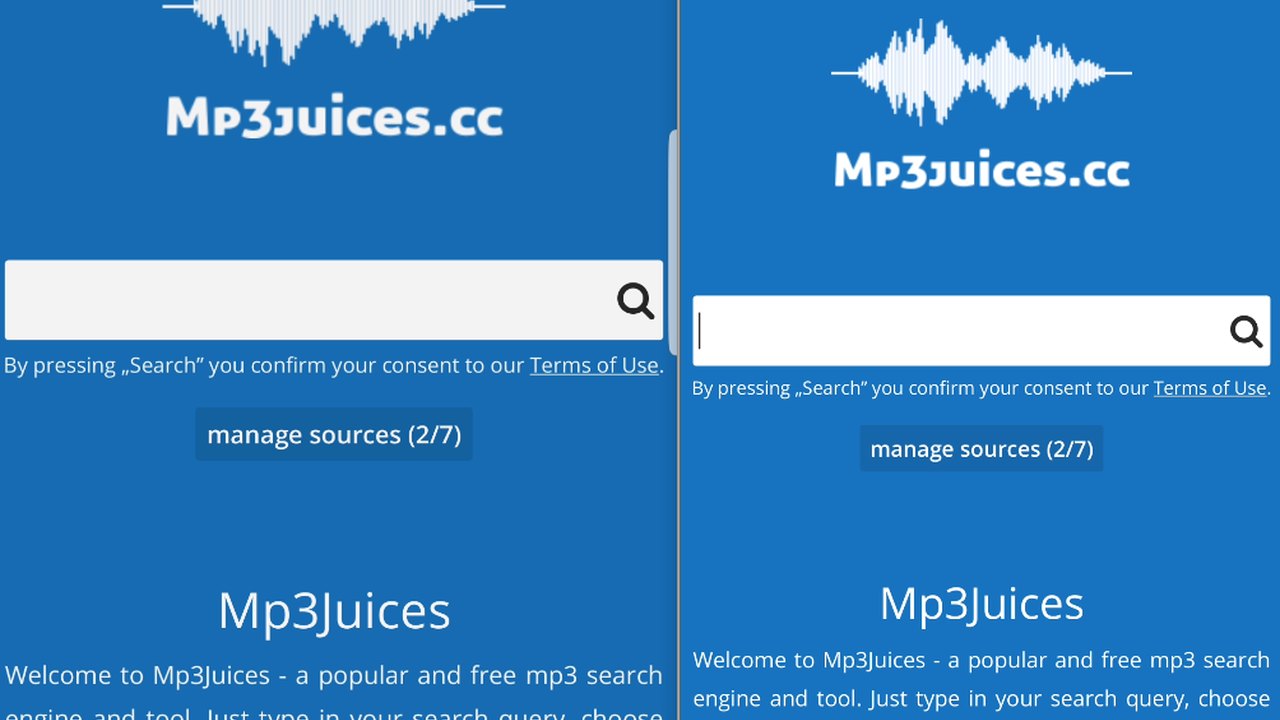
When I’m on a station platform with one hand free, I start with one song, not the whole list. In Mp3Juice, I search by artist and title, check the version and duration, then save a file I have permission to download. Before I start on the next song, I open the first one from Downloads. Hearing it in a browser tab doesn’t mean I’ll be able to play it on the train.
Before you type in the mp3juice search box, have the recording details handy and a source that permits the download. If the artist offers the file in the format you need, use it. There’s little point in converting it again, especially over a weak connection.
How do you find the right track in the mp3juice search box?
Search for the artist and song title together. One more detail can distinguish the performance you want: a venue, a featured singer or the name of a remix. If I’m working through a list, I keep those details in a note on my phone so I don’t have to remember which version I meant.
Start with one track, not the whole playlist
- Open mp3juice.cx in your browser. Tap the search box and type the artist’s name followed by the title. For a traditional tune like “The Water Is Wide,” the performer’s name is more useful than another word from the chorus. Tap the search control or use the submit key on your keyboard.
- Scan the titles before you open a result. Compare the performer, version and duration, if shown, with the release you have in mind. If several entries look right, add a term such as
acousticto the search instead of opening them all.
If you can’t remember the whole title, use the artist’s name and the most distinctive words you’re sure of. Leave out the guesses. A half-remembered lyric, a possible album title and the wrong year give you three things to troubleshoot instead of one.
Use a source link when it identifies the performance
Sometimes the title is ambiguous but the link to the artist’s recording isn’t. If the search field says it accepts links, paste the recording’s source URL in place of the title. Check the artist and version in the result. If the field doesn’t accept that source, switch to a text search rather than trying the same link again.
Check for explicit playlist support, too. A field that accepts a single recording URL may not accept a playlist URL or several lines of text. Searches for “mp3 juice” or “mp3juices” can bring up similarly named pages. Check the hostname before assuming their search boxes work the same way.
Which recording should you select from the Mp3Juice results?
Choose the performance, not just the song. Match it to the source release, then check whether you can download that particular recording. Being able to find it doesn’t mean you may save it, and permission to save it doesn’t necessarily extend to reuse.
Make a two-performance check
Say you want a 3:42 studio recording, but the same artist also played a 4:18 radio session under the same title. The singer’s name fits both results. Look for the album credit on the first entry and a session or station credit on the second. Duration helps narrow the choice; on its own, it doesn’t identify the recording.
If the entries still look alike and there’s a preview, listen for a detail you recognize: a spoken introduction, a different lead voice or a count-in before the guitar starts. A cover changes the performer. A live version may feature the same performer on a different take, while a remix may keep the vocal but change the arrangement. Once you recognize the recording, stop the preview. Streaming the whole track and then downloading it uses data twice.
Check what the source allows, and for what purpose
Look for a download the rights holder offers or authorizes. Check that the source’s terms allow the method you intend to use: permission to listen on a page doesn’t, by itself, authorize extraction. If the authorized route is the creator’s own download, use it rather than a converter.
Saving music for the commute is one thing; putting it under a video is another. For a video, check the terms for both the recording and the underlying composition. Creative Commons licenses vary. You may need to credit the creator, commercial use may be restricted, and a NoDerivatives condition can rule out sharing the music synchronized with your footage. If you plan to publish, keep the creator credit and license details with the file.
Free Music Archive lets you browse music and check the license for an individual track. Internet Archive is useful when you’re after a particular performance: a concert item page, for instance, can include the date, set list and several file formats. Neither collection grants blanket permission. For a public domain recording, verify the status of that performance in your jurisdiction. The tune may be old even if the recording is new and protected.
Which mp3juice format uses the least mobile data?
If you only want the sound, choose an audio-only file. When there’s a choice of MP3 bitrates, 128 kbps uses 40% as much audio data as 320 kbps for the same duration. Choose an MP4 with video when the picture matters, too—if you want to see a guitarist’s fingering up close, for example.
Work out the cost before starting a list
Audio bitrate tells you how many kilobits of audio data a file uses per second (kbps). Four minutes is 240 seconds, so at a constant 128 kbps the calculation is 128 × 240 ÷ 8 = 3,840 kilobytes of encoded audio, or 3.84 MB. At 320 kbps, it comes to 9.60 MB. These decimal estimates leave out tags and transfer overhead. Variable-bitrate files can differ from the figures below.
| MP3 bitrate | One 4-minute track | Ten 4-minute tracks |
|---|---|---|
| 128 kbps | 3.84 MB | 38.4 MB |
| 192 kbps | 5.76 MB | 57.6 MB |
| 320 kbps | 9.60 MB | 96.0 MB |
For ten four-minute tracks, choosing 128 instead of 320 kbps saves about 57.6 MB. On a patchy connection, the advantage isn’t just the data saved: a smaller file has less left to transfer when the train reaches a tunnel. The choice isn’t always yours, though. If the source offers one bitrate, don’t count on the search page offering the other two.
Decide whether conversion helps at all
MP3 is a practical default if you listen across phones, car stereos and older players. AAC also uses lossy audio compression. Depending on the encoder and the material, it can deliver comparable listening quality at a lower bitrate. If the creator supplies an AAC file and your player supports it, keep it as it is to avoid another lossy conversion.
FLAC is lossless and usually larger. If preserving the source matters, keep the creator’s FLAC and make smaller listening copies later if you need them. Converting a low-quality MP3 to FLAC or to a 320 kbps MP3 won’t restore detail that’s missing from the source.
- For the recording you’ve checked, choose MP3 for listening if it’s offered. If you want video, choose MP4 only if the option identifies a video stream. MP4 is a container; the label alone doesn’t promise a picture. Use the download control for your chosen format. If the browser asks for confirmation, check the proposed filename and file type before saving.
How do you save a list without losing track of mp3juice downloads?
Check that the first file downloaded, then reuse the settings that worked. For a longer list of permitted direct downloads, a download manager with a visible queue is easier to follow than ten open search tabs. The tabs won’t tell you at a glance which files reached storage. If you already have the files and just need a different format, use a batch converter.
Find the first saved file
- Open your browser’s Downloads list and find the first track. Wait for the progress indicator to disappear and the entry to show that the file is complete or ready to open, then tap it. To check that it works offline, disconnect briefly and open the file from its folder, not from the original tab.
On iPhone or iPad, use Safari’s downloads indicator if you can see it. You can also open the iOS Files app and tap Browse. Depending on your download destination, Downloads will be under iCloud Drive, On My iPhone or On My iPad. If an iCloud file has a cloud download icon, make sure you have a local copy before you need to listen offline.
On Android, choose Downloads from the browser menu. In your file manager, the Android downloads folder often appears as Downloads in the main view or Download under internal storage. On a computer, open the browser’s download history. Look beside the entry for Show in folder, Show in Finder or a folder icon, depending on your browser.
A preview plays in the browser. A completed download gives you a file in storage, but it won’t necessarily have a music-library entry until your player indexes or imports it. If the song plays from Files but doesn’t appear in your player, the transfer worked. Check the player’s import or folder setting rather than downloading the song again.
Test the queue with two entries
Try two direct files before adding the rest of an authorized list to a download manager. See whether you can paste both links at once or need to add them separately. Can you tell which file is waiting and which is transferring? If the manager states a limit, check whether it applies to waiting items or simultaneous transfers. A queue can hold an entire album while transferring one track at a time.
On a weak signal, I’d start with one active transfer. If a track fails, retry that track rather than the whole list. Resuming depends on the server as well as the manager; a partial download may not pick up where it stopped. An authorized album download saves you managing individual tracks, but consider how much you’d have to transfer again if that larger file needed a restart.
For files you already have, test the batch conversion preset on two tracks. Use the same output folder and audio settings but give each file a distinct name, such as 01 - Artist - Title (Studio) and 02 - Artist - Title (Session). Before running the full batch, check what the converter does if a name already exists. If it overwrites without asking, you can lose one of the performances.
Fix names in the place your player reads
A filename identifies a track in its folder. Inside an MP3, ID3 tags can store the title, artist, album and track number separately. Renaming download.mp3 in Files won’t change those tags. If you can tell two performances apart in the folder but they look identical in the player, inspect the media details and put the version in the title tag. Refresh the library if the old title still appears.
Is that mp3juice download prompt expected, or did the transfer fail?
Before tapping again, check the hostname and your browser’s Downloads list. An unexpected payment page calls for a different response than an interrupted transfer or a completed file that won’t play.
Stop at a redirect or installer
The mp3juice.cx search listing describes free browser access with no advertising or registration. That description doesn’t cover every page you might land on. If a tap takes you to another hostname asking for payment, notifications, an extension or an app, close that page. Back in the original tab, check the address rather than relying on the logo.
You shouldn’t have to run an .exe, install an .apk or add a configuration profile to listen to an MP3. Read the full filename if it’s visible: track.mp3.apk isn’t an MP3. If you can’t tell what’s being offered, cancel. Don’t open it to find out.
Diagnose by the last thing that actually happened
No match or no file offered: Start again with just the artist and title, then add one detail about the version. If the right result has no permitted download or doesn’t offer the format you need, check the creator’s release page. Trying the conversion again won’t change the source’s terms.
No Downloads entry: You may be listening in a browser player. Check whether saving is permitted and whether the player offers a save option. Wait until you see one file in download history before queuing the rest.
Interrupted entry: Check your connection and available storage. Choose Resume if the browser offers it; otherwise, retry just that file on a steadier connection. Before another attempt, look for a completed copy, especially if several filenames look alike.
Completed but silent: Open the local file and check the media volume and selected Bluetooth output. Then try another player that supports the format. A zero-byte file has no audio to play. If the file is unusually small, check its type rather than assuming a different player will solve the problem.
Mp3Juice FAQ: What else should you check on a phone?
Do I need an account or an Mp3Juice app?
The mp3juice.cx listing describes a browser service that doesn’t require registration. Start there. You don’t need a similarly named app to search, save a permitted file or open it from Downloads.
Can I use a YouTube link instead of a song title?
Only if the search field currently accepts YouTube links. Even then, support for the link doesn’t grant permission to download. Use a method the source and rights holder allow. If the artist offers a separate download, use that file.
Does a Creative Commons label mean I can use the track in a video?
Not on its own. Read the specific license and check whether it covers both the recording and the composition. Before pairing the track with footage, check the attribution requirements and any restrictions on adaptations or commercial use.
Can I get better sound by choosing 320 kbps?
Possibly, if you’re encoding from a good source. A higher bitrate gives the encoder more room to preserve detail. If the recording is already degraded, re-encoding at 320 kbps mostly leaves you with a bigger file and the same flaws.
Why did my MP3 open in a browser tab instead of appearing in Downloads?
The browser may be playing the track without saving a separate copy. Look for a completed entry in Downloads. If there isn’t one, use the player’s save option if it has one and the source permits downloading.
Why does my player show the wrong artist after I rename the file?
Your player probably reads the artist tag inside the MP3, not the filename. Check the file’s media details, correct the artist in a tag editor and refresh the library if the player still shows the old name.
Will deleting my browser history delete my saved song?
Generally, no. Clearing download history removes the browser’s record, not the saved file. Open the download folder to confirm the song is there. To remove the song itself, delete it from that folder.
Mp3Juice Review: How to Find the Right Recording and Save an MP3 That Sounds Good
Say you’re on the train, about to lose signal, and the track you want is the acoustic take rather than the album version. On Mp3Juice, I’d search by artist, title and version, listen to a preview of the recording I have permission to download, then save the MP3 and open it from the browser’s downloads list. If the artist offers the same file directly, I’d take that copy and skip the conversion.
I judge an MP3 downloader by what I have after I close the tab, not by how quickly the preview starts. Is it the take I heard? Does it still sound good on my usual headphones? Will I be able to find it tomorrow under the artist’s name? I wouldn’t assume a particular price, a choice of bitrates or support for a given source. What matters is what’s available for the recording you want.
Which Mp3Juice page should you use, and what should you check first?
This review covers Mp3Juice at the address above. Check the full address before relying on a feature description: a search result called “Mp3 Juice” may lead to a site with different terms, search options and download limits.
Check the address, then the offer for your track
Look for www-mp3juice.com.co in the address bar, with a hyphen after www. A familiar logo or page title doesn’t mean you’re on the same domain. The hostname identifies the page under review, but it doesn’t vouch for the service or the file.
Before you spend time tracking down a particular take, read the terms on this domain for pricing, sign-up requirements and duration limits. Then check the offer for the recording itself. If you want a 40-minute performance and the page doesn’t say whether it accepts one, an “unlimited” claim from another site isn’t much help. If a price or account prompt appears at the last step, that’s the offer to consider, even if the search result said “free.”
Keep private listening links out of the search box
Searching for a public song title reveals less than pasting in a private rehearsal link. Anyone with an unlisted URL may be able to hear the recording. That long string at the end of the address could be an access token, and pasting the link into another service gives that service the URL.
For a private set, ask the person who sent the link for a downloadable copy. For a public release, start with the artist and title. If you prefer to use a link, first check which sources the field accepts and read the domain’s privacy notice. The search box won’t tell you how long the service keeps a URL.
Which recording can you save from Mp3Juice?
Choose a recording you control or have the rights holder’s permission to download, and use a download method the source platform allows. A search match tells you the recording exists, not what you may do with it.
Check the performance, not just the song
A pianist’s recent performance of a public-domain waltz is a useful example. The composition may be free to use while the new recording is still protected. Another pianist could play the same notes and release the performance under a different license.
Look for download permission on the artist’s release page, the label’s page or the item record the rights holder supplied. Check the performer, release and version against your search result. A download button for the studio single says nothing about a concert tape. If the source offers an authorized file, you also have a reference for how the recording should sound.
If permission is unclear, change sources
Public-domain recordings and Creative Commons releases are worth considering when the rights statement covers the particular recording you want. On Internet Archive, check who supplied the item and read its rights information. On Free Music Archive, look for the license on the track page. Neither site grants a blanket license for its whole collection.
If a source allows streaming only, look for its authorized offline feature or find a release the artist sells or gives away. For a train journey, listening offline in the streaming app may be enough. You just won’t have an MP3 to move to another player.
How do you find the exact take in Mp3Juice without searching twice?
Search for the artist and title with one detail that sets the recording apart: an album, a session name, a venue or a word like “instrumental.” Before choosing a format, check the running time and listen to the preview.
Use the clue that rules a result out
Maybe the take you remember opens with a spoken count-in. “Acoustic” could describe several results; the session name is a better filter. If all you remember is a lyric, use a short, distinctive fragment to identify the song, then search by artist and title. The right lyric can still lead you to a cover rather than the original singer.
Compare the running time with the authorized release. A much shorter result may be a radio edit or have a cut-off ending; a longer one might include an introduction. A second either way tells you little. If the search field explicitly accepts public source links, the permitted recording’s own URL can save you the trouble of matching names.
Preview something more revealing than the first chord
Listen for the part that makes this take recognizable: a second voice in the chorus, a passage without drums or a burst of applause just before the last note. If you can move through the preview, skip to that spot. Note the approximate time so you can check the download without playing the track all the way through twice.
A preview helps identify the result, but it doesn’t establish the sound quality of the download. If there’s no preview and three results share a title, I’d go with the release the artist identifies. Neither a longer filename nor a higher bitrate tells me who’s playing.
Which Mp3Juice format and bitrate are worth the space?
For listening, choose MP3. If you want to see how a guitarist fingers a passage, look for an MP4 option that includes video. MP4 is a container and can hold audio alone, so check the label rather than assuming there’s a picture.
Put the bitrate in terms of one commute
Bitrate tells you roughly how much data each second of audio uses, in kilobits per second (kbps). For a constant-bitrate file, multiply the bitrate by the number of seconds and divide by 8,000 to get the approximate size in decimal megabytes. A four-minute track at 128 kbps works out to 128 × 240 ÷ 8,000, or 3.84 MB before tags and artwork.
| MP3 bitrate | One four-minute track | Ten four-minute tracks |
|---|---|---|
| 128 kbps | 3.84 MB | 38.4 MB |
| 192 kbps | 5.76 MB | 57.6 MB |
| 256 kbps | 7.68 MB | 76.8 MB |
| 320 kbps | 9.60 MB | 96.0 MB |
These figures let you compare sizes; they don’t mean every Mp3Juice result offers all four settings. Variable-bitrate files won’t match the figures exactly. For ten four-minute tracks, choosing 320 instead of 192 kbps costs about 38 MB more. If storage is tight, I’d compare the two settings on one track with my usual headphones before saving the whole playlist.
Judge the sound, especially if you’ll convert it again
MP3 compression is lossy: the encoder leaves out some audio information to make the file smaller. Converting a rough, low-bitrate recording to 320 kbps can make the file bigger without restoring any detail. Listen to a cymbal ringing behind a voice. If it already sounds swishy in the source, a higher setting won’t fix it.
There’s no need to re-encode a compatible MP3 for offline listening. Copying the file to another device leaves the audio unchanged. If your app converts files during transfer, play the same passage in the saved MP3 and the transferred copy at similar volume. The player’s file details can show whether the format or bitrate changed; listening will tell you whether you mind the difference.
If you have permission to edit the recording and plan to export it again, get the original lossless file if it’s available. Keep that as your working copy and make the listening MP3 once. I’d rather use a converter that identifies the input format and lets me choose the output quality than one with a button marked “HD.”
Where did Mp3Juice save the file, and why isn’t it in your library?
Once a browser transfer finishes, the file is in your configured download folder. Hearing a song in the browser doesn’t mean you’ve saved it, and saving it doesn’t automatically add it to your music library. Look in the browser’s downloads list before you start searching your albums.
Follow the transfer rather than the biggest button
Use the download control for the recording and format you chose. Permission to download a file is separate from permission to send notifications; you don’t need alerts to play an MP3. Close unrelated pop-ups. If you’re offered an installer, browser extension or executable instead of audio, cancel the download.
Check the browser’s downloads list for a completed file with the expected extension and a plausible size. A progress bar stuck halfway doesn’t count. If tapping the result opened a browser player, check whether a transfer appears in the list before looking for the file on your phone.
Open the local copy on your device
On iPhone or iPad, open Safari’s downloads list, then find the completed file in the Files app. Depending on your settings, the Downloads folder may be in iCloud Drive or on the device. Before you lose signal, make sure the track is available locally and not just listed in cloud storage.
On Android, open the completed file from your browser’s Downloads screen or look in your file manager’s Downloads folder. On Windows or Mac, use the folder or “show in folder” control on the browser’s download entry. It will take you to the saved copy even if you changed your default download location months ago.
Close the original tab and play the file from its folder. Listen for the cue you noted in the preview, then check the ending. For offline listening, playing the file with the device disconnected tells you more than a check mark beside its name.
Fix “Unknown Artist” without downloading again
If the track plays but turns up under “Unknown Artist,” open its details in your player or a tag editor. MP3 players commonly get the title, artist and album from ID3 metadata tags. Renaming track01.mp3 won’t necessarily change what the library displays.
Fill in the missing fields from the release page. If the version distinguishes this take from another, include it in the title. Refresh or re-import the track if your player requires it. You can edit tags without re-encoding the audio. If the file isn’t in the library at all, import or sync it first. Changing tags won’t make your player look in a folder it doesn’t monitor.
When is Mp3Juice worth another try, and when should you stop?
Go back to the step that failed. Simplify the search if you couldn’t find the recording. If you found the right take but the transfer stopped, check the download rather than trying different versions of the title.
No match or rejected link: Try dropping the venue or album name in case of a spelling difference, then narrow the results by ear. If a URL is rejected, check that the source is available and the field accepts that kind of link. When the source restricts downloads or the result doesn’t offer the format you need, look for an authorized alternative instead of submitting the link again.
Interrupted, silent or unplayable file: Check the transfer status in the browser, your available storage and your connection. If the transfer finished, compare the file’s extension, duration and size with what you selected. Try another compatible player to see whether the problem is with playback or the file itself. Switching players won’t bring back the missing last minute of an incomplete download.
My verdict: I’d use Mp3Juice for a single track I’m allowed to download if I can identify the take, select a suitable audio format and check the saved copy in one pass. What counts is whether it matches the preview and sounds right in the player I’ll use. If the official download is one tap away, I’m unsure which version I’ve found or I need a clean master for another encode, I’d skip the extra conversion.
Mp3Juice FAQ: What should you know before saving a track?
Is Mp3Juice free, and is there a track-length limit?
Check this domain’s terms and the offer for your recording. A similarly named site’s “free” or “unlimited” label doesn’t tell you the price, sign-up requirements or maximum duration here. If the limit is unclear, don’t assume a long performance will convert in full.
Can I paste a YouTube link instead of typing the song name?
First check whether the search field lists YouTube links among its supported sources. Use a public link only when both the rights holder and the source platform permit the download. A field that accepts the URL hasn’t established permission.
Do I need an app or extension to play an MP3?
A compatible browser or media player can play a standard MP3 without a browser extension. If you’re offered an installer instead of the audio file, it isn’t the track you selected.
Why does my iPhone play the song but not show it in Music?
Playing a track in Safari doesn’t necessarily save it. Look in Safari’s downloads list, then check your configured download folder in Files. You can play a saved MP3 from Files without adding it to Music. To see it in that library, you’ll need to import or sync it separately.
Does Mp3Juice keep the links I submit?
The search box doesn’t tell you how long links are kept. Read the privacy notice on this domain before submitting one. If the notice doesn’t answer your question, search by title. Keep private links, unlisted URLs and addresses containing access tokens out of the field.
Can I use a downloaded track in a video or podcast?
Only if you control the necessary rights or have a license for that use. Permission to keep a listening copy doesn’t automatically allow you to publish the recording in another work. Check the terms for both the composition and the particular performance you want to use.
Conference Rooms
If you can think it we can do it. Customise your room size to fit your needs whether it be a conference, event, banquet or a night time party venue.
Virtual Office
A Virtual Office in Hackle Brooke allows executives the flexibility to start up their businesses without the associated costs of full-fledged office space.
Food menu
For your cocktail, private, corporate and social events – choose from our wide range of menus that we have to offer including halaal and kosher.
I attended a 2-day workshop at Hacklebrooke a few weeks ago. I had a great experience will all the staff from Mtha who kindly collected me at the Shell garage to Dudu who made me feel welcome and special at all times.
Keep up with the great work.
Kathy O’Connor (September 2017)Great venue, Fantastic Staff, Accommodating and Professional. I have facilitated for over 15 years national and I can honestly say top 3 ever.
MarcThe updated Network is a Blast. Wi-Fi the best ever. The building has been sound proofed and you cannot even hear the construction activities outside.
Mbuyisa (2016)News

Lunch and Learn
Hosting a Lunch and Learn session is a low cost briefing option. It is a great way to introduce a topic
read more
Welcome to our new Facebook Page!
We have recently created a new Facebook page,
read more
Newsletter
Sign Up and receive all the latest news and Specials
Latest Newsletter Snippets

Full Value Financial Services is a Bankseta registered financial training and consulting company. This outstanding training company focuses on providing generic and customised workshops and internationally accredited courses…….

Training companies’ core competencies are coaching a variety of different types of individuals on a variety of subjects….

Hackle Brooke has over 12 full-service meeting rooms suitable from 5 to 300 in various seating configurations……
Our Partners




WE WOULD LIKE TO HEAR FROM YOU SO PLEASE CONTACT US
Phone : +27(0) 11 789 7992
General:
Dudu Masondo – [email protected]
Finance:
Lara Brest – [email protected]
Address :
110 Corner Conrad Drive and Jan Smuts Avenue
Craighall Park.
GPS Co-ordinates:
S26o06’54.216”, E28o01’13.007”